tg-streaming-bot: Movie Nights in a Telegram Voice Chat
DraftA self-hosted Telegram bot that streams movies, music, internet radio and 50 000+ live TV channels straight into a group voice chat — so friends scattered across cities can watch the same thing, in sync, from a phone. Plus the war stories: why a bot literally can't do this alone, YouTube's download-or-nothing streaming, and a pause that kept resuming itself.
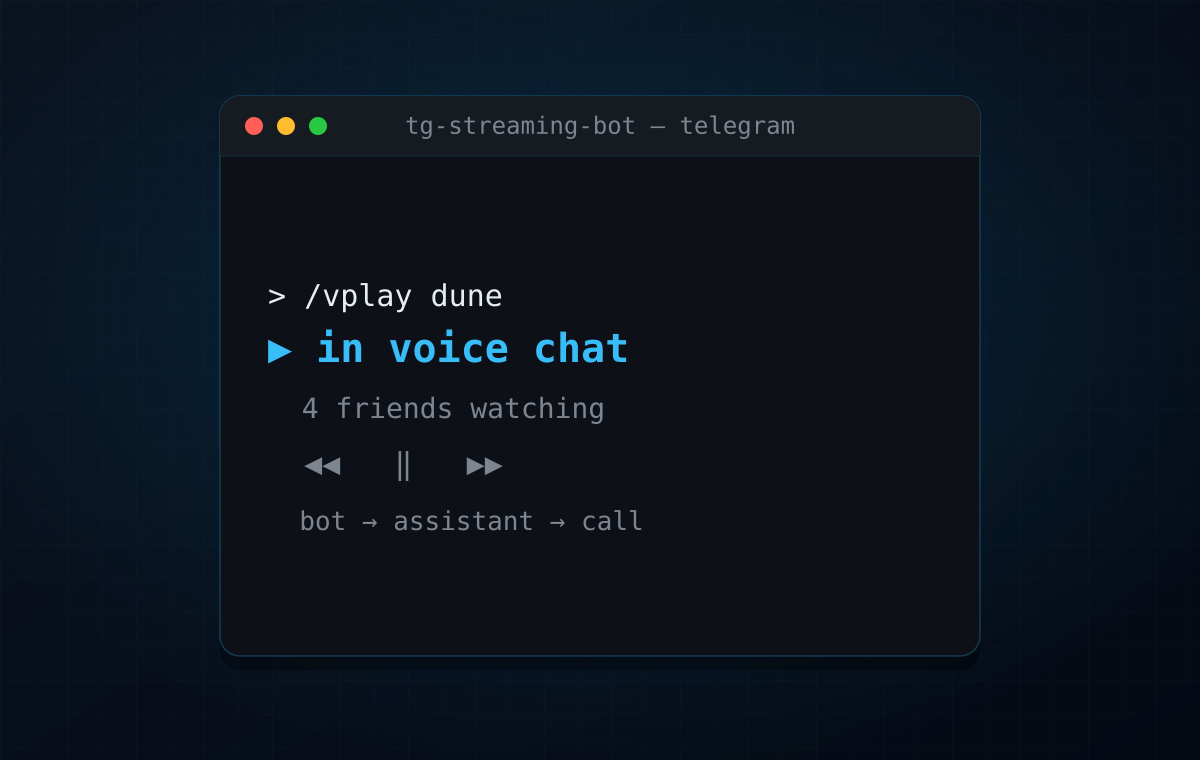
Some of my friends live in other cities now. The old ritual — pile onto one couch, put a film on, talk over it — doesn’t survive distance. Screen-share tools want everyone on the same app with a good upload; they choke on a 1080p film and die the moment someone’s on mobile data. What everyone I know already has open, all day, on every device, is Telegram.
Telegram group calls can carry video. Not just a webcam — a real broadcast into the call that every member sees at once. So the idea was small and stubborn: point a bot at a group voice chat, tell it to play a movie, and let four people in three cities watch the same frames at the same time from whatever device is in their hand.
The result is tg-streaming-bot — a self-hosted bot that streams music and video into Telegram group voice chats. Movies, YouTube, a file someone dropped in the chat, internet radio, or live TV from a 50 000-channel catalogue — all of it lands in the call, with a full transport (pause / seek / volume / skip) as inline buttons that everyone in the room shares.
If you’ve seen my earlier tg-mpv-bot, this is the same idea pointed at a different screen. tg-mpv-bot is a Telegram remote for the TV in my living room — it drives mpv over HDMI, so playback lands on one physical screen in one room. tg-streaming-bot keeps the Telegram-as-remote feel but swaps the output: instead of streaming through mpv to my TV, it streams into a Telegram group video chat, so the “screen” is everyone’s phone at once, wherever they are. Same instinct — control media from a chat — aimed at watching together instead of watching at home.
What it does
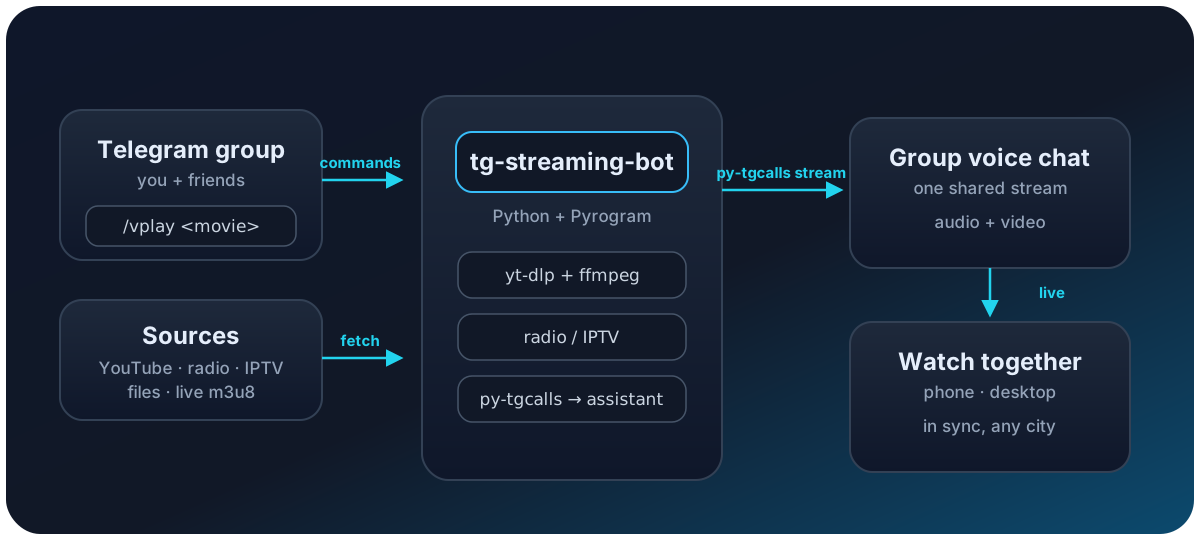
The daily loop is small, but the source list is not:
/vplay <query | URL>— stream a movie or clip into the call. YouTube (search or link), a video file posted in the chat, Rutube / Vimeo / any yt-dlp-supported site, or a live.m3u8. Add720/480/360to cap quality,muteto start silent./play,/search— same for music: play the first hit, or pick from a YouTube result list (🎵 audio / 🎬 video)./radio— dozens of internet-radio stations, with the live now-playing track shown on the card./iptv <name>— live TV. Searches the iptv-org catalogue (50 000+ channels) by name and streams it, channel logo and all. Good for putting a football match on for everyone./library,/lplay— browse and play my own media folders, with audio-track and subtitle selection.- Shared transport — one now-playing panel with pause / resume / skip / seek, seek-to-%, master volume and mute. It’s master volume on purpose: it changes the stream, so everyone in the call hears the change, not just the person who tapped it.
- Extras — record the stream to a file, grab a screenshot of the current
frame,
/autoplayauto-DJ related tracks when the queue empties, SponsorBlock to cut YouTube sponsor segments, loop / shuffle / clear, and a/topiclock to pin the bot to one forum topic.
Under the hood it’s Python + Pyrogram, streaming
through py-tgcalls, with
yt-dlp fetching and ffmpeg (optionally
VAAPI-accelerated) transcoding to what Telegram calls will accept.
The one thing that shapes everything: a bot can’t join a call
This is the fact the whole project is built around, and it’s worth stating plainly because it surprised me: a Telegram bot account cannot join a group voice chat. The bot API has no concept of it. Playback into a call is something only a user account can do.
So tg-streaming-bot is really two Telegram identities working together:
- The bot — the command interface. Lives in the group as an admin (it needs Manage video chats to start the call and Delete messages to keep the panel tidy). This is what you talk to.
- An assistant user account — a real account, logged in via a Pyrogram session string, driven by py-tgcalls. This is what joins the voice chat and pushes the actual audio/video bytes.
The bot orchestrates; the assistant streams. A couple of consequences fall out of this that you only learn by hitting them: the assistant must be a member of every group it plays in (the play commands auto-invite it), and Telegram allows exactly one voice-chat connection per account — so the assistant has to be a dedicated account, not one a human is also listening on. Once that clicked, the rest of the architecture was just plumbing sources into the assistant’s stream.
War stories
1. YouTube: download-first, or nothing
The obvious design is to hand mpv-style URLs to the streamer and let it pull.
YouTube killed that: direct stream URLs are blocked, and the “just give me the
URL” path returns 403s that look like everything else. The path that actually
holds is unglamorous — download the file first (yt-dlp with a mobile player
client, H.264 + AAC mp4), then stream the local file into the call. Even the
client is a moving target: android_vr worked until it started getting 403s
too, and now it’s android. It costs a few
seconds of “Searching…” before playback, but it’s the difference between
reliable movie night and a spinner that never resolves. Non-YouTube URLs
(Rutube, Vimeo, IPTV) are extracted and streamed live — no download wait —
but their HLS tokens expire after ~30 minutes, so a three-hour film from one of
those sometimes needs a nudge.
2. Radio that resolved on my laptop and nowhere else
Internet radio looked trivial — feed the stream URL to ffmpeg. It worked on my
host and failed in the container with ffmpeg’s “Failed to resolve hostname” for
a handful of stations. The DNS answers themselves were fine. Docker’s embedded
resolver (127.0.0.11) mishandles CNAME-chained answers for some hosts, so
glibc’s getaddrinfo() came back with EAI_NODATA for names that resolved
perfectly well outside. The fix is two lines of dns: in docker-compose.yml,
pointing the container straight at 1.1.1.1 / 8.8.8.8 and skipping that layer.
On top of that, /radio now retries play() once, because joining the call
sometimes fails on its own with Telegram’s transient INTERDC_X_CALL_ERROR.
“Works on my machine” is a DNS story more often than it has any right to be.
3. IPTV master playlists and picky CDNs
Live TV was two bugs in a trench coat. First, iptv-org entries are often
master .m3u8 playlists — a menu of bitrate variants, not a stream. Point
a player straight at one and it may pick nothing. The bot now resolves the
master to a single concrete variant before streaming. Second, a lot of these
CDNs reject requests that don’t look like a browser, so the fetch has to carry
a real User-Agent and Referer or it gets a polite 403. Neither is hard;
both are invisible until you’re staring at a black rectangle wondering why the
channel that works in VLC won’t play.
4. The pause that resumed itself
The nastiest bug wasn’t a crash — it was /pause un-pausing itself after about
fifteen seconds, and jumping back a little while it was at it. The bot has a
stall watchdog: if the playback position stops moving for 15 seconds, it
assumes the stream died and restarts it from the last saved position. It was
supposed to skip paused streams by checking call.status == PAUSED — but
py-tgcalls’ call object has no .status (it’s .playback), so the check
silently never matched, and every pause looked like a stall.
Fixing the attribute name wasn’t enough. py-tgcalls reports a genuinely paused
stream as IDLE, not PAUSED — the same status as a dropped one — so no
attribute check can tell them apart. The real fix was to stop asking the driver
and track pause state explicitly: /pause and /resume set a flag, and the
watchdog leaves flagged streams alone. Two releases to corner it — the kind of
bug where each fix reveals the next layer.
5. A handler that dies quietly is the worst kind
Early on, a command that failed mid-stream just… stopped, leaving a “Searching…”
card frozen on a thumbnail and no clue why. So every handler and every button
is now wrapped in a global error reporter: a failure reports itself back to the
chat (or as a toast, for buttons) instead of vanishing into docker logs.
Debugging a shared movie night by SSH-ing into a server while four people wait
is not a loop you want to be in — the error should just be in the chat.
How I actually use it
Friday nights, mostly. Someone starts a video chat in our group, I /vplay the
film, and we’re watching together — pausing for snack breaks that pause it for
everyone, arguing about plot holes in the same chat. On a weekday it’s more
often /radio for background music while people drift in and out, or /iptv
to throw a match on when something’s live. The master-volume detail matters
more than I expected: being able to turn the movie down for everyone when
someone starts talking, from a phone, is the small thing that makes it feel
like one room instead of four.
Try it
git clone https://github.com/antlis/tg-streaming-bot && cd tg-streaming-botcp example.env .env # BOT_TOKEN from @BotFather, API_ID/HASH from my.telegram.org# generate the assistant session string (logged in as a dedicated account):docker run -it --rm --env-file .env \ -v "$(pwd)/gen_session.py:/gen.py" python:3.11-slim \ sh -c "pip install -q kurigram tgcrypto && python3 /gen.py"docker compose up -d --buildThen add the bot to your group as an admin, start a voice chat, and /vplay
something. The README
covers every env var, the local media library layout, and VAAPI transcoding. Issues
and PRs welcome — especially if you find a source yt-dlp handles that I haven’t
wired a nice command around yet.