telepad: Discord-Style Quick-Jump for Telegram, From Any Window
A Rust + rofi menu that jumps Telegram to any chat, group, channel, contact, forum topic or archived chat — across multiple accounts — from any window on i3. Telegram has no Ctrl+K quick-switcher; this is my fix for it.
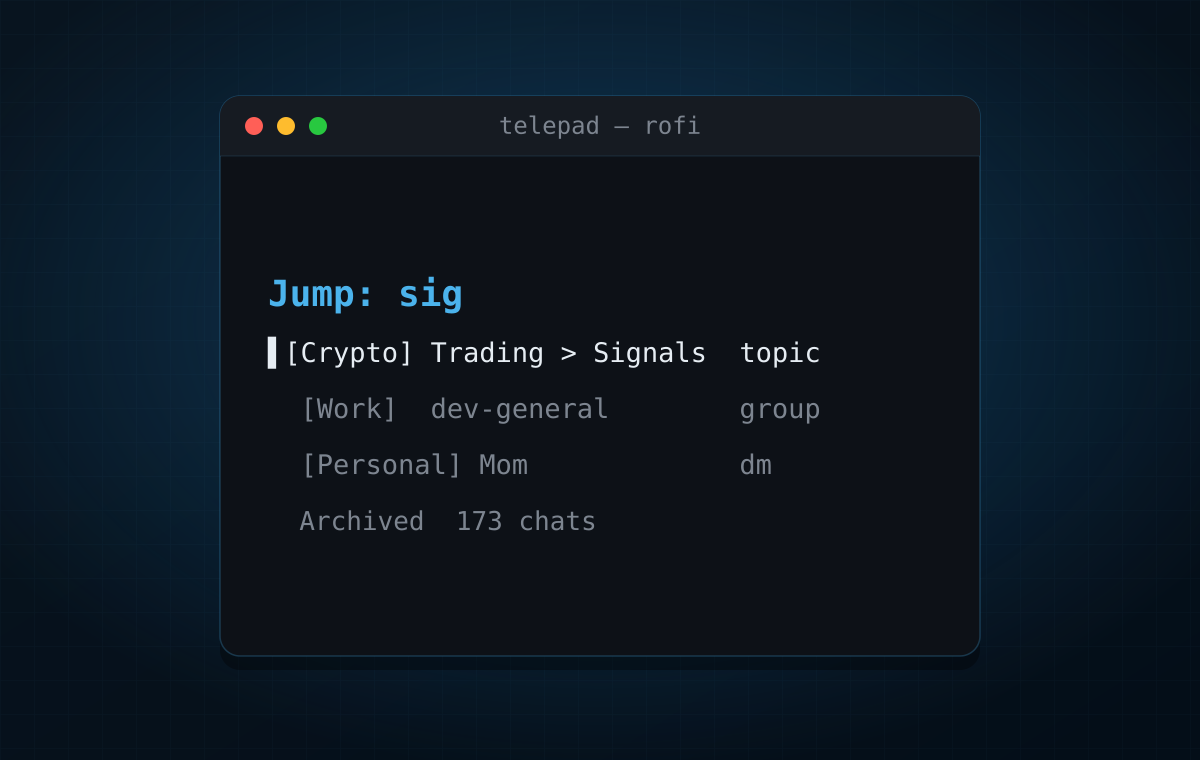
You know the feeling: dozens — hundreds — of Telegram chats, groups, channels and DMs, and finding the right one means scrolling, half-remembering names, and searching inside the app. It’s like a thousand browser tabs, except worse, because they’re spread across multiple accounts and buried under folders and archives.
What I actually want is: hit a key, type a few letters of a chat’s name, hit Enter, and I’m there. Telegram Desktop’s Ctrl+F isn’t that — it’s a search, oriented around finding messages, and it behaves oddly when you just want to jump to a conversation. Discord nailed this years ago with Ctrl+K: a quick-switcher that only lists conversations and is built for “type, Enter, jump.” Telegram simply has no equivalent.
So I built telepad — a small Rust program that puts every chat into a rofi menu you can summon from any window. And because it’s a global rofi + i3 binding, it’s arguably nicer than Discord’s: where Discord makes you focus Discord → Ctrl+K → type → jump, telepad is just hotkey → type → jump from wherever you already are — your editor, your terminal, your browser. No context switch, fewer keystrokes.
What it does
Bind telepad to a key in i3 (I use Super+g — “g” for go to
chat) and it becomes a global switcher:
- Fuzzy-jump to any chat, group, channel, or contact — including blocked users and people you have no open chat with — across all your accounts in one flat list.
- Forum topics — every topic is its own flat, searchable row (
Forum ▸ Topic), so you can jump straight to one on the first keystroke; selecting the forum itself still opens a submenu of its topics. - Chat folders — each folder shows as a
📁 <Folder>row that expands into a submenu of that folder’s chats. - Archive — a
🗄 Archivedentry per account: open the archive folder, or jump straight to a specific archived chat. - Multi-account — it switches to the right account before opening.
The chat list is read once with grammers (a Rust MTProto client) and cached to JSON; the menu reads that cache, so it’s instant.
This is the same spirit as brave-rofi-rust, which solves the browser version of this problem — jump to any tab, bookmark, or history entry from any window. Same idea, different app.
The two problems I didn’t expect
The menu was the easy part. Actually driving Telegram from outside turned into a small war story — worth writing down, because both problems have non-obvious causes.
Opening a chat can’t go through xdg-open. The obvious way to open a tg:// link
is xdg-open, but that launches a second Telegram process, and its single-instance
handoff races the running one — on my setup it just killed the running window every
time. The fix is to deliver the URL in-process over D-Bus
(org.freedesktop.Application.Open), which hands it to the already-running instance
without spawning anything. For chats without a public username (private groups, some
DMs) there’s no t.me link, so telepad opens them by internal peer id via AyuGram’s
tg://chat?id= handler.
Switching accounts crashes the deep-link handler. Telegram’s tg://…&acc=N
parameter is supposed to switch account before opening. On the builds I tested it
crashes the client (silently — no crash dump on a Nix build). And since the only
other route to switch is spawning a second process (see above), which kills the app,
there’s no safe URL-based way to switch accounts at all.
So the account switch is done the blunt way: telepad focuses the window and
injects the keypress you’ve bound in the client for that account (e.g.
Alt+2) via xdotool — the exact switch you’d do by hand, which
is safe. It’s ugly, it needs X11, and xdotool’s own windowactivate hangs on i3
(it waits on _NET_WM_DESKTOP, which i3 doesn’t set), so focusing is delegated to
i3-msg and only the keypress goes through xdotool. Not elegant, but it works, and it
avoids the crash entirely.
The state of it
Same honesty as last time: this is a personal tool shaped around my environment.
- Linux + i3 + X11 + rofi + xdotool only. Cross-account switching leans on X11 key injection; on Wayland you’d need a different injector. Leave the switch key unset and it’s same-account only, with far fewer dependencies.
- Tested with AyuGram, not vanilla Telegram Desktop. The
tg://handlers and thecom.ayugram.desktopD-Bus name are AyuGram-specific; Telegram Desktop uses a different name and lacks thetg://chat?id=handler. It should be a small change to support both — I just haven’t done it yet. - Separate session. grammers logs in independently of your client (its own device in your Telegram sessions list) purely to read the chat list — it can’t read the client’s encrypted local data.
And, like brave-rofi-rust: maybe someday I’ll figure out something more meaningful and less welded to this particular pile of dependencies — a single self-contained binary with its own picker and a WM-agnostic way to focus and switch, so it isn’t tied to rofi, i3, and xdotool. For now, take it as a working prototype of an idea I like.
Try it
cargo install telepad --git https://github.com/antlis/telepad.git --lockedGet an api_id/api_hash from my.telegram.org, drop a
config in ~/.config/telepad/config.toml, telepad login <account> once each,
telepad sync, then bind it in i3:
bindsym $mod+g exec --no-startup-id telepadThe README has the full configuration, the account-switch setup, and the current list of rough edges. Issues and PRs welcome — especially if you wire up vanilla Telegram Desktop support, because I didn’t.