tg-media-bot: Send a Link, Get the File Back
A self-hosted Telegram bot that downloads media from 1000+ sites with yt-dlp and sends it straight back — tagged MP3s, inline-playable video, 2 GB uploads, a live progress bar. Plus the war stories: three bugs hiding in code that looked finished, an upload you can't measure, and a cookies.txt that broke the very site it was meant to help.
tg-mpv-bot plays links on my TV. But just as often I don’t want to watch something on the big screen — I want the file: a track on my phone, a clip saved offline, a SoundCloud set as a tagged MP3. So its sibling exists. It runs on the same old ThinkPad described in my living-room home server write-up.
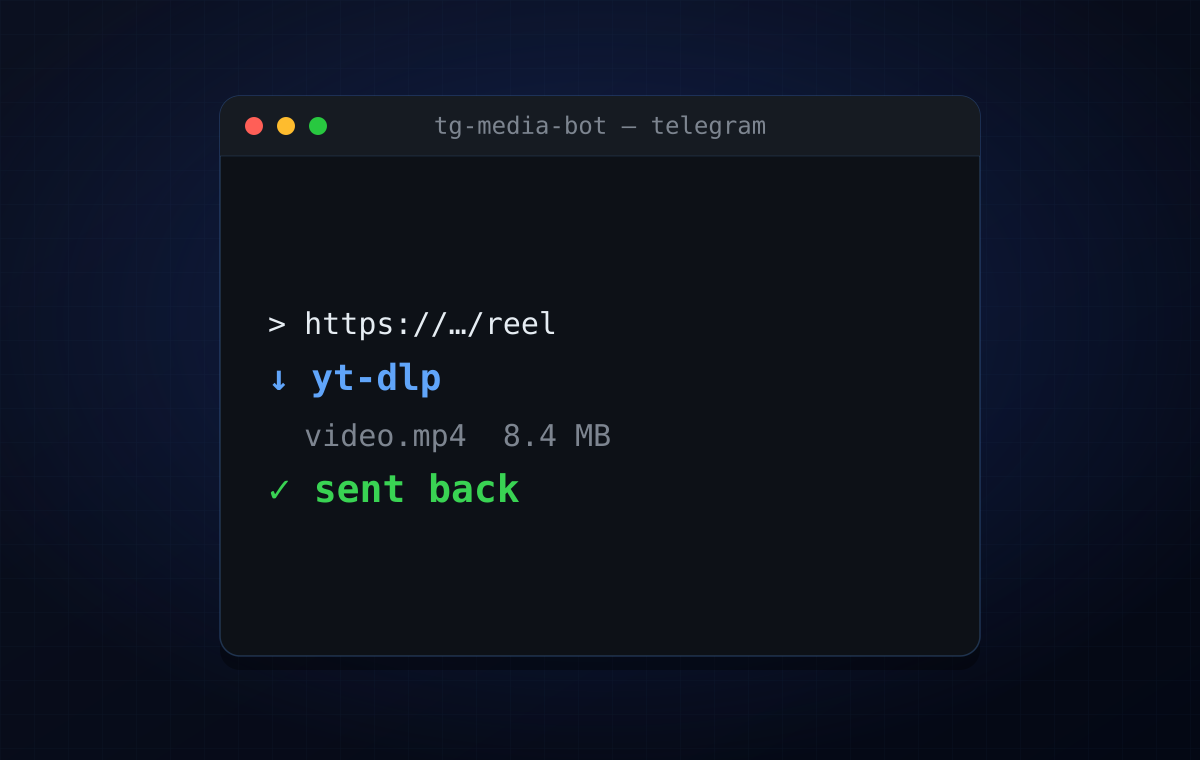
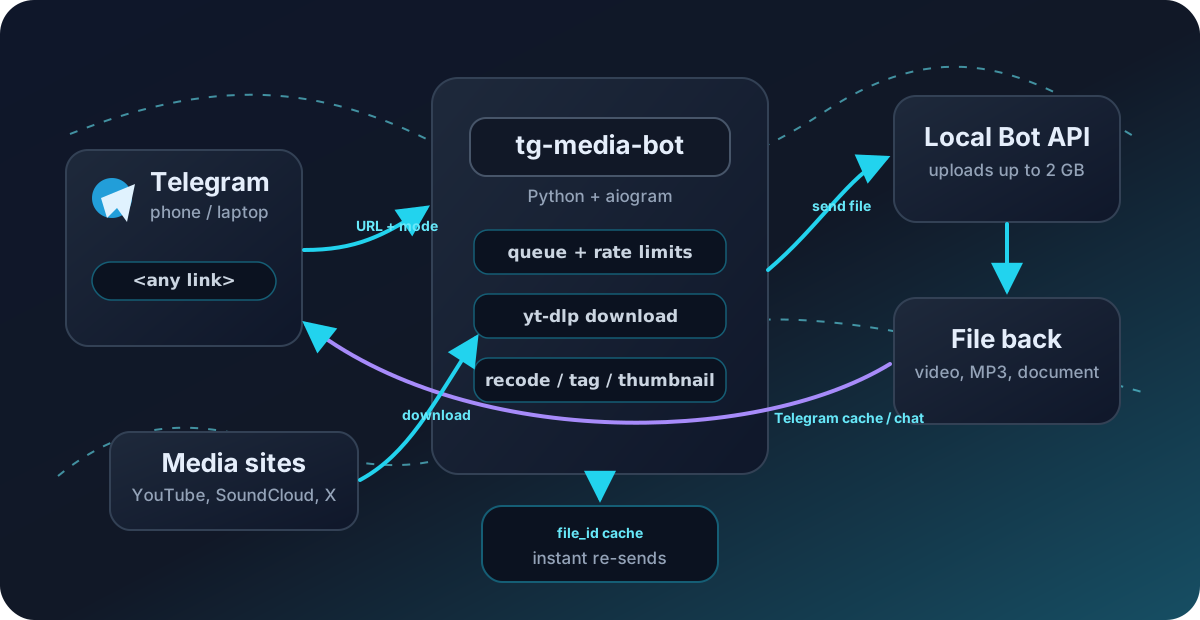
tg-media-bot is a small, self-hosted Telegram bot: send it a URL — from any of the 1000+ sites yt-dlp supports — and it downloads the media and uploads it back to your chat. Pure utility. No AI, no accounts, no tracking; it runs on your own box and only makes outbound connections.
This post is what it does and — more useful — what broke while I built it.
What it does
- Send any URL (up to three per message) and it downloads in your active mode and sends the file back. YouTube, SoundCloud, TikTok, Instagram, Reddit, Twitch, Vimeo, X — whatever yt-dlp can reach.
/audioreturns a proper tagged MP3 — embedded cover art, album-art thumbnail in the player, title/artist/duration. SoundCloud is always audio, no command needed./videois the default; non-MP4 sources are transcoded to streamable H.264/AAC so Telegram plays them inline./formats <url>shows tap-to-pick quality buttons — Best / 1080p / 720p / 480p / Audio.- Up to 2 GB uploads via a bundled local Telegram Bot API server (vs. the standard 50 MB), with a live progress bar while downloading.
- Instant re-sends: ask for a URL someone already grabbed and it comes back in a second, straight from Telegram’s cache.
- Allowlist access (works in DMs and in groups an allowed user activates),
per-user rate limiting, an enforced global concurrency cap, a real
/cancel, and automatic temp-file cleanup.
It’s Python + aiogram wrapping yt-dlp, unit-tested
with pytest in CI, shipped as a multi-arch Docker image and an AUR package.
The war stories
1. Three bugs hiding in code that looked finished
The skeleton existed before I got serious about it, and it looked done — typed, documented, tested. Three things were quietly lying:
- The global concurrency cap did nothing. There was a semaphore for
MAX_PARALLEL_DOWNLOADS… that nothing ever acquired. The real run path fired every download immediately. The limit was decoration. /canceldidn’t cancel. It flipped a task’s status tocancelled— and the yt-dlp subprocess kept right on downloading and then uploaded anyway. The cancel was a label, not an action.DOWNLOAD_TIMEOUTwas never applied. Parsed from env, documented in the README, wired to nothing. A stuck download hung forever.
None of these throw. None fail a test that isn’t written. They’re the most
dangerous kind of bug: code that reads as correct. The fixes — actually
acquire the slot in the runner, keep the asyncio task handle so cancel can
.cancel() it and kill the process, wrap the subprocess in wait_for — were
small. Finding them meant not trusting that a feature with a config knob and
a docstring was real.
2. The upload you can’t measure
People wanted a progress bar, and the download half is easy: run yt-dlp with
--newline --progress-template, stream stdout line by line, throttle the
edits so Telegram doesn’t rate-limit you, render a █░ bar. Done.
The upload half is a wall. The Telegram Bot API has no upload-progress callback — and with a local Bot API server it’s worse: the bot hands the file to the on-box server (fast), which then uploads to Telegram’s data centres entirely out of view. There is no byte count to read. (My tg-mpv-bot can show upload % only because it talks raw MTProto via a different library; the Bot API simply doesn’t expose it.)
So I stopped pretending. The status now moves through honest phases: 📥 Downloading (real bar) → 🔄 Processing (the merge/recode step, which otherwise sits at a confusing 100%) → 📤 Uploading with an elapsed-time + size heartbeat. Not a fake percentage — a liveness signal that says “still working,” which is the actual thing a user needs to know.
3. The cookies.txt that broke the site it was meant to help
To download gated content (Instagram, age-restricted videos) the bot can use a
cookies.txt. I dropped one in and YouTube immediately started failing:
ERROR: [youtube] …: Requested format is not availableThe same video downloaded fine without cookies. The reproduction was illuminating: with cookies present, yt-dlp authenticates as a logged-in session and YouTube routes it to a “tv downgraded” player response that returns a format set my selector couldn’t satisfy — sometimes nothing usable at all. The cookies meant for Instagram were poisoning YouTube.
You can’t selectively cookie one host from a single file, so the fix is a fallback that mirrors the geo-block retry: if a download fails with a format/extraction error and cookies were in play, retry once without them — keeping the original error if the retry also fails. Cookies still help the sites that need them; they no longer sink the sites they harm. (Same family of lesson as tg-mpv-bot, where logged-in YouTube cookies added a 45-second stall. Cookies are a loaded gun pointed at YouTube.)
4. file_id — the re-upload you get for free
Telegram gives every uploaded file an ID, and resending by file_id is
instant and free — no re-download, no re-upload. So the bot caches
(url, format) → file_id. Ask for a link someone already fetched and it skips
the queue entirely and arrives in a second. On the rare stale ID it quietly
evicts and downloads fresh. It’s the single biggest day-to-day speed-up, and
it’s barely any code — just using what the platform already hands you.
5. 64 bytes of callback_data
The quality picker is the bot’s one piece of real UI: tap a button, get that
resolution. Telegram inline buttons carry a callback_data payload — capped at
64 bytes. A URL doesn’t fit. So the URL is stashed server-side under a
short token, and the button only carries q:<token>:<choice>. Tiny constraint,
but it’s the kind of thing that decides your whole interaction design.
From script to package
The parts that make it a project rather than a snippet: an enforced queue, a
real /cancel, friendly error messages that map raw yt-dlp failures to
actionable hints (“age-restricted → set a COOKIES_FILE”), a
landing page, CI running pytest on two
Python versions, a multi-arch Docker image on ghcr, and an
AUR package. In Docker it
even refreshes yt-dlp on every start, so when YouTube changes something a
restart is the whole fix.
Try it
git clone https://github.com/antlis/tg-media-bot && cd tg-media-botcp .env.example .env # BOT_TOKEN from @BotFather, your ID in ALLOWED_USERSdocker compose up -d # pulls the prebuilt image + local Bot API serverOr paru -S tg-media-bot on Arch. The
README covers every env var
and the bare-Python path. Issues and PRs welcome.