telescope-gist: GitHub Gists Belong in Telescope
I built a Neovim Telescope extension for GitHub Gists: list them, preview with filetype syntax highlighting, open multi-file gists as editable buffers, push changes back on :w, create from visual selections, delete, yank URLs, and keep it fast with a two-layer cache.
I use GitHub Gists for the small things that do not deserve a repository but absolutely deserve not to disappear: one-off scripts, snippets from debugging sessions, config fragments, notes I want on every machine. They live in that awkward middle ground between “clipboard” and “project”.
The annoying part was where they lived: in the browser.
When I am already in Neovim, opening GitHub, finding a gist, copying a file, pasting it into a buffer, editing it, and then going back to the browser to save the new version feels like context switching for something that should be a picker action.
So I built telescope-gist: a Telescope extension for managing GitHub Gists from inside Neovim.
It is built for my LazyVim setup, but it is just a normal Telescope extension:
no LazyVim dependency, no custom UI framework, no GitHub token prompt. If you
already use gh auth login, the plugin reuses that.
Demo
The missing piece
There are already Neovim plugins around GitHub, but none of the options fit what I wanted:
gh.nvimis about repositories and issues, not Gists.gist.nvimcan list and open Gists, but editing and deletion were not the flow I wanted.telescope-github.nvimexposes Gists, but the preview is plain and the project has not been moving much.
The bar I wanted was simple: Gists should feel like files in Telescope.
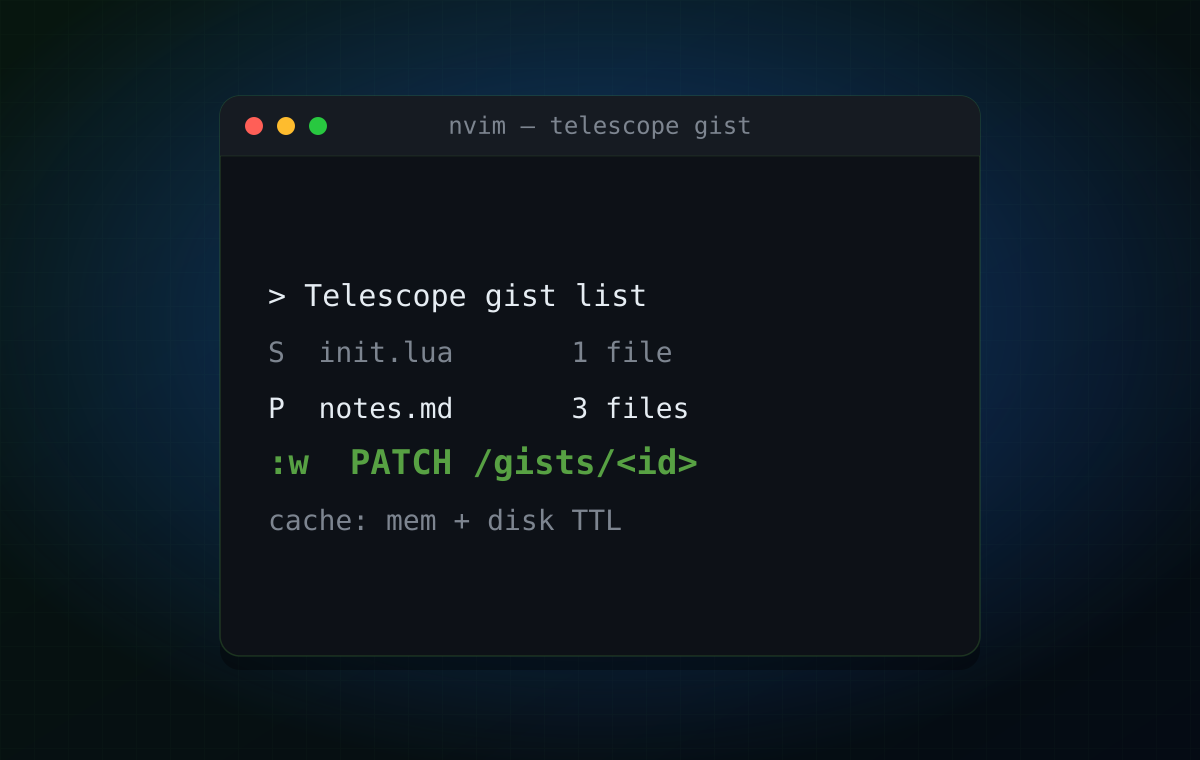
:Telescope gist list
S  init.lua                  1 file   2h ago    lazy.nvim experimentP  notes.md                  3 files  1d ago    terminal notesS  docker-compose.yml        1 file   3w ago    throwaway service
From there:
<CR>opens the selected gist for editing.:wpushes the buffer back to GitHub withPATCH /gists/<id>.<C-d>deletes the gist after confirmation.<C-n>creates a new gist from the current buffer.<C-y>yanks the gist URL.<C-r>forces a refresh when I know the remote changed.
Visual mode works too: select lines, run :'<,'>GistCreate, and only that
selection becomes the gist.
Editing is the interesting part
Listing Gists is easy. Opening a preview is easy. The part where an editor plugin becomes dangerous is the write path.
telescope-gist opens files as buffers named like this:
gist://<gist-id>/<filename>That gives each remote file a stable identity without pretending it exists on
local disk. The buffer uses buftype=acwrite, which means a normal :w does
not try to write gist://... through the filesystem. Instead, Neovim fires a
BufWriteCmd autocmd, and the plugin sends the current buffer content to the
GitHub API through gh.
This is the tiny detail that makes the feature feel native: I do not have to
learn a special “save gist” command. I edit text, press :w, and the remote
copy changes.
Multi-file Gists open as one buffer per file, sorted by name. The first buffer is shown immediately; the rest are already listed buffers, so normal Neovim navigation works. If a buffer already has unsaved local edits, reopening the gist does not repopulate it and destroy my work. Remote sync can wait; local changes win until I save or discard them.
The guard rail I did not want to need
GitHub includes file contents inline when you fetch a gist, but only up to
about 1 MB per file. Larger files are marked as truncated and require fetching
raw_url separately.
For a read-only preview, truncated content is merely annoying. For editing, it
is a data-loss trap: if the plugin opened a truncated prefix and allowed :w,
it could overwrite the full remote file with only the part GitHub returned.
So v0.1 refuses to push truncated files:
telescope-gist: refusing to push truncated file (>1MB). Use `gh gist edit ...` directly.That is not as fancy as streaming the raw file and patching it back, but it is the correct boring behavior. A plugin that loses a gist once is a plugin I will never trust again.
The v0.2 path is obvious: follow raw_url for full bytes before enabling edit
mode. Until then, refusal beats corruption.
Fast enough to stay invisible
The first version could have called gh api /gists every time the picker
opened. That would be simple, and it would also make the extension feel just a
little too remote.
Instead it has a two-layer cache:
- in-memory cache for the current Neovim session;
- disk JSON cache under
stdpath("cache") .. "/telescope-gist"with a TTL.
The first picker load pays the network/subprocess cost. After that, the list
opens immediately, even after restarting Neovim. Mutating actions update the
cache surgically: deleting a gist removes one row, creating a gist prepends the
new row, editing a file updates that gist’s cached content and bumps the list
row’s updated_at.
The cache is deliberately boring: one JSON file per key, schema version, atomic write through a temporary file and rename. No database. No global state file that every action has to read-modify-write.
Why gh first
The plugin currently uses gh api instead of calling GitHub directly from Lua.
That was a product decision, not a technical limitation.
Using gh buys three things in v0.1:
- no auth UI;
- no personal access token instructions;
- fewer places to get GitHub’s edge cases wrong.
If gh auth login works in the terminal, telescope-gist works in Neovim.
That is a good first-run experience.
The code is shaped so this can change cleanly. All GitHub traffic lives in
lua/telescope-gist/gh.lua, and the rest of the plugin consumes REST-shaped
records. v0.2 can keep gh only as an auth bootstrap (gh auth token) and use
plenary.curl for direct REST/GraphQL calls.
The wins are real: ETags, If-None-Match, no subprocess spawn, and maybe a
single GraphQL round-trip for list plus first-file content. But none of that
matters if the first release asks people to paste tokens into config.
Installation
With lazy.nvim or LazyVim:
{ "antlis/telescope-gist", dependencies = { { "nvim-telescope/telescope.nvim", cmd = "Telescope", dependencies = { "nvim-lua/plenary.nvim" }, }, }, config = function() require("telescope-gist").setup({}) require("telescope").load_extension("gist") end, keys = { { "<leader>gG", "<cmd>Telescope gist list<cr>", desc = "Gist List" }, { "<leader>gn", ":GistCreate<CR>", desc = "Create Gist", mode = { "n", "v" } }, },}Requirements are intentionally small: Neovim 0.10+, Telescope, plenary, and an
authenticated gh CLI.
Try it
:Telescope gist list:GistCreate:'<,'>GistCreateSource is here: github.com/antlis/telescope-gist.
It is MIT licensed, small enough to read in one sitting, and built around the workflow I wanted: find the gist, preview it with syntax highlighting, edit it like a buffer, save it like a buffer, and get back to whatever I was actually working on.