Executable Cheatsheets: which-key for your whole Linux desktop, in rofi
A rofi cheatsheet that doesn't just list your keybindings — it runs them. Live-parsed from the i3 config for the WM; for apps it reads each keymap from wherever the app hides it (Telegram/Zen JSON, Brave over CDP, mpv over IPC) and fires it. Inspired by which-key.nvim.
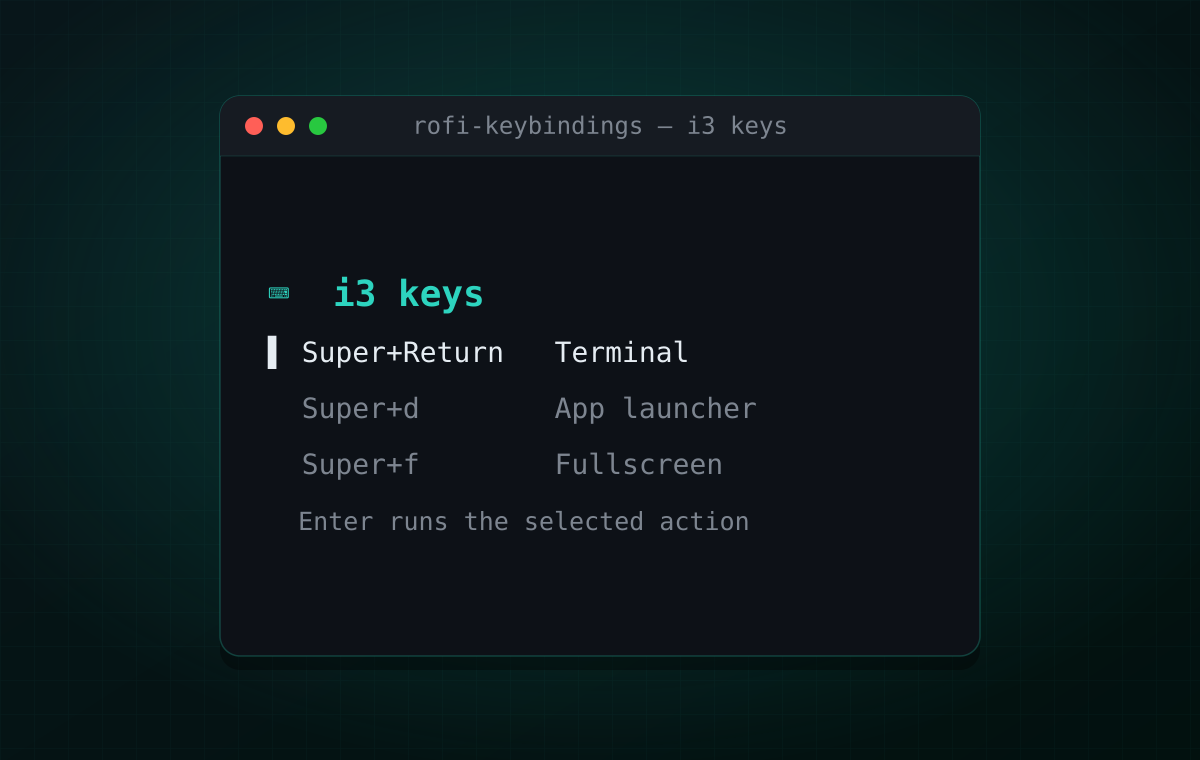
I keep forgetting my own keybindings. Not the ten I use every hour — the other forty: the window-movement one I set up six months ago, the do-not-disturb toggle, the screen-recorder hotkey I added last week and already can’t recall. The config knows all of them. My memory doesn’t.
Neovim solved this for me with
which-key.nvim: start a chord and a
panel pops up showing every key that could come next and what it does — and you finish
the chord right there, from the panel. It’s a cheatsheet and a launcher at once. I
wanted that for the whole desktop, not just the editor. This is how I got most of the
way there with rofi, a bit of awk, and xdotool.
The idea: a cheatsheet you can press Enter on
A static list of shortcuts is a PDF you never open. The which-key trick is that the list is actionable — seeing the binding and invoking it are the same gesture. So the design goal is one keystroke away at all times:
- Super+/ opens a picker: which cheatsheet? (i3, AyuGram, mpv, Discord, Brave, Zen)
- Pick one and you get a fullscreen, fuzzy-searchable list of every binding.
- Hit Enter on a row and it performs the action — it doesn’t just show you the key.
There are two kinds of bindings behind those rows, and they need completely different machinery to actually fire. That difference is the whole story.
Kind one: WM bindings, parsed live from i3
The i3 sheet has a rule I care about: it must never drift from reality. If I add a binding and forget to update the cheatsheet, the cheatsheet is worse than useless — it lies. So it doesn’t read a hand-maintained list. It reads i3’s running config:
mapfile -t rows < <(i3-msg -t get_config | awk ' # resolve `set $var value`, skip `mode { … }` blocks, # then for each `bindsym KEY command…` emit: <runnable command>\t<pretty label> … ')i3-msg -t get_config returns the live, fully-loaded config, so the sheet is generated
from the source of truth every time it opens — rename a binding and the row renames
itself. The awk pass does three useful things: it expands $mod-style variables,
it drops mode-only bindings (they only make sense inside resize/sysmenu mode), and
it splits each row into a tab-delimited pair: the real command on the left, a pretty
label on the right.
That tab split is what makes “press Enter to run it” safe. rofi shows the pretty half;
the script keeps the raw command intact — quotes, $, everything — and never evals a
string it generated. On selection it dispatches by type:
# exec bindings run detached; everything else goes back through i3.setsid bash -c "${real[$sel]}" >/dev/null 2>&1 &An exec binding runs in a detached shell; a bare i3 command (focus left,
layout tabbed) is dispatched via i3-msg. Same list, two dispatch paths, both driven
off the config that’s actually loaded.
A cosmetic snag: Nix store paths
On NixOS my exec targets are writeShellScript derivations, so the “command” for a
binding is a path like /nix/store/w0…3k-i3-dnd-toggle. Ugly in a cheatsheet. The
parser strips the /nix/store/…/bin/ prefix, and for the handful of script-path
bindings it maps the derivation name to something human:
if (pcmd ~ /i3-dnd-toggle/) pcmd = "🔕 Toggle notifications (Do Not Disturb)"else if (pcmd ~ /ssr-record-toggle/) pcmd = "⏺ Toggle screen recording (start/stop)"…Small thing, but it’s the difference between a sheet you read and a wall of hashes you skip.
Kind two: app shortcuts, which you can’t “run”
The AyuGram/Telegram sheet is a different animal. Its rows aren’t i3 commands — they’re the app’s own shortcuts: Ctrl+F to search a chat, Delete to delete a message, Ctrl+Shift+R to react. There’s no shell command to invoke; the only way to “run” one is to do exactly what a human would: focus the app and press the key.
The rows themselves come mostly for free — the client stores its keymap in
shortcuts-default.json (plus shortcuts-custom.json for overrides), so the sheet
reads real key combos out of JSON with jq and only hand-lists the handful that aren’t
in there. To make Enter fire a row, two more pieces are needed: turn the displayed
chord into something xdotool understands, and get the keystroke into the right window.
Converting the chord is a small case: split on +, lowercase the modifiers, and map
key names to X keysyms.
# modifiers: Ctrl→ctrl, Shift→shift, Alt→alt# keys: Esc→Escape, Enter→Return, Space→space, Del→Delete, F→f, 1→1, …Rows that can’t be a single keypress — section headers, blank spacers, Left/Right
(“seek in media”) — are skipped, because there’s nothing coherent to send.
The focus war story (I’d fought this one before)
Then the actual keystroke. The naïve version is obvious:
wid=$(xdotool search --class AyuGram | tail -1)xdotool windowactivate --sync "$wid"xdotool key --clearmodifiers ctrl+fIt ran clean, exit code 0, and nothing happened. Debugging showed why:
xdotool search --class AyuGram returns three windows, not one —
wid=…569 type=_KDE_NET_WM_WINDOW_TYPE_OVERRIDE name=Media viewerwid=…159 type=_KDE_NET_WM_WINDOW_TYPE_OVERRIDE name=cat-lounge (…)wid=…651 type=_KDE_NET_WM_WINDOW_TYPE_OVERRIDE name=AyuGramDesktop— all tagged as override-redirect helpers. windowactivate --sync picks one, warns
XGetWindowProperty[_NET_WM_DESKTOP] failed, and no-ops: the active window never
changes, so the key lands wherever focus already was (nowhere useful). xdotool’s
windowactivate leans on _NET_WM_DESKTOP, which i3 doesn’t set — so on i3 it’s
just unreliable.
I recognised this instantly, because I’d already hit and solved it building
telepad — my Discord-style quick-jumper for Telegram, which also
has to focus the client from outside to inject an account-switch key. The fix is the
same one telepad uses: don’t ask xdotool to focus. Ask the window manager, by
criteria, and let it find the real managed window:
xdotool search --class AyuGram >/dev/null 2>&1 \  || { notify-send "AyuGram keys" "No AyuGram window found"; exit 1; }
i3-msg '[class="AyuGramDesktop"] focus' >/dev/null 2>&1sleep 0.15xdotool key --clearmodifiers "$keyspec"
i3-msg [class="…"] focus matches the actual top-level window and ignores the
override-redirect clutter that fooled xdotool; then — and only then — the keypress
goes to whatever is now focused. xdotool stays in the picture for the one thing it’s
good at here (synthesising a keystroke), and does none of the window management. That
split — WM focuses, xdotool types — is the load-bearing idea, and it’s exactly what
telepad settled on for the same reason.
One honest caveat, because it’s a sharp tool: this sheet fires the real action. Enter on Delete deletes the focused message; on the “send without sound” chord it sends. A cheatsheet that can delete messages is a footgun — I run mine in fire-everything mode on purpose, but a gated “reference-only for destructive keys” mode is a two-line change if you want the safety rail.
Every app hides its keymap somewhere different
AyuGram was generous: it hands you a JSON file. Most apps aren’t. Once the focus-and-replay machinery worked, I pointed it at four more apps — Zen, Discord, Brave, and mpv — and each one turned “just read its shortcuts” into its own small puzzle. The rule I set for myself held throughout: read the app’s real keymap, don’t hand-maintain a copy that will rot. Here they are, roughly easiest to nastiest, with the fun one last.
Zen — a file, like AyuGram (the easy case)
Zen is Firefox-based, and it stores its keyboard shortcuts — including your
rebindings — as JSON in the profile (zen-keyboard-shortcuts.json). So, like
AyuGram, the sheet is a file read: no window poking, no scraping. The only work is
translation, done in one jq pass. Each entry has a modifiers object where accel
means “the platform accel key” (Ctrl on Linux) and meta means Super; the key is
either a character or a keycode like VK_F5; and the label is de-slugged from the
l10nId:
# accel/control → ctrl, meta → super; VK_F5 → F5, "^" → asciicircum# label: "zen-full-zoom-enlarge-shortcut" → "Full zoom enlarge"# multiple bindings for one action are grouped: Full zoom enlarge → Ctrl++ / Ctrl+=The one landmine: a couple of entries have both id and l10nId null (an internal
Backspace binding), and jq’s ltrimstr calls startswith under the hood — so
null | ltrimstr(…) throws startswith() requires string inputs. A // "unnamed"
fallback fixes it. 71 shortcuts, always current, fired the AyuGram way
(i3-msg [class="zen-beta"] focus, then xdotool).
Discord — no keymap at all (the curated case)
Discord is an Electron app that keeps its shortcuts compiled in and its few custom ones
in an opaque leveldb — there’s no readable keymap to parse. So this is the one
hand-curated list in the set. I tried to at least scrape Discord’s official shortcuts
page to seed it; the page 403s behind Cloudflare, browser User-Agent and all. So
the rows come from Discord’s documented set, fired exactly like AyuGram. One nice
accident: the capital-Discord helper windows are override-redirect and unmanaged, so
[class="discord"] cleanly hits the real one — the same override-redirect gotcha from
the focus war story, this time working for us.
Brave — scrape the settings page over CDP (the nasty case)
Chromium has no shortcuts file, but brave://settings/system/shortcuts renders the
full, customizable table. I already run Brave with --remote-debugging-port, so the
sheet reads that page over the DevTools protocol (CDP). That sounded easy and was not —
three separate walls:
- No WebSocket client on the launch PATH. CDP is WebSocket-only, and
socat/websocataren’t in the environment i3 launches scripts with. Node is — and Node 22 ships a built-inWebSocketglobal, so the CDP client is dependency-free. - The page won’t render in the background. Open the settings tab in the background
and its lazily-loaded subpage never populates; bringing it to the foreground works but
steals your tab. The fix is
Emulation.setFocusEmulationEnabled+Page.setWebLifecycleState('active')— it renders offscreen, no view-steal, then the tab is closed. - Shadow-DOM soup. The table is Brave’s Nala/styled-components tree; the parser
walks
Grid → name div+Column → Row → Kbdchips to pull each command and its accelerators.
That yields 74 live commands (cached, since the scrape is ~5s). And then there was F11.
The F11 that wasn’t
“Full screen” (F11) did nothing from the sheet. The obvious guess — i3 grabbing the key
— was wrong; there’s no F11 binding. xev proved the synthetic F11 is delivered
(keysym 0xffc8 lands on the focused window), and plain Ctrl+T replays fine. Brave
simply doesn’t act on F11 under i3. i3’s own fullscreen only drops the window border,
not Brave’s toolbar — not what you want. The real fix reuses the CDP pipe:
Browser.setWindowBounds with windowState: "fullscreen", Brave’s genuine
F11-equivalent, toolbar and all. Two more traps hid behind that: with the memory saver
on, most tabs are discarded and getWindowForTarget fails on them — so I open a
throwaway about:blank to resolve the window; and you exit fullscreen via "normal",
because "maximized" doesn’t clear it.
mpv — talk to it directly, no focus needed (the fun case)
mpv is the one that breaks the whole “focus, then type” pattern — and it’s my favourite.
mpv can listen on a JSON IPC socket (input-ipc-server=/tmp/mpvsocket in mpv.conf).
So this sheet doesn’t scrape or hardcode anything: it asks mpv for its own live
keymap (the input-bindings property) and, on Enter, sends a keypress back down the
same socket. mpv performs the action in-process — no window focus, no xdotool at all.
That property matters for how I actually work. mpv lives permanently on my dedicated 10th workspace. With this sheet I can be reading something in the browser on workspace 2, hit Super+/ → mpv → Pause, and the video pauses over on workspace 10 — without switching workspaces or ever focusing the mpv window. A cheatsheet that reaches across the whole session and pokes an app you can’t even see is a genuinely different thing from a printed list.
ipc() { printf '%s\n' "$1" | nc -U -N -w1 "$SOCK"; }# read: {"command":["get_property","input-bindings"]} → jq into keyspec\tlabel rows# fire: {"command":["keypress","<key>"]} → mpv acts, wherever it isThe obstacles here were transport-shaped. My first version used socat and silently did
nothing — because, same story as Brave, socat isn’t on the PATH i3 launches with (I
confirmed via /proc/<pid>/environ). Swapping to LibreSSL’s nc -U fixed it, with its
own quirks: no -q, and -W1 truncates multi-packet replies, so -N -w1 is the
combination that reads a full response and exits. The other trap is liveness: a leftover
socket file passes -S, but a dead mpv answers nothing — so the sheet queries first
and judges by the reply, never by the socket merely existing.
The pattern under all of it
Four apps, four completely different keymap sources — a JSON file, a curated list, a CDP-rendered settings page, a live IPC query — and two ways to fire: replay a keystroke into a refocused window (Zen, Discord, Brave), or speak the app’s own protocol so focus is irrelevant (mpv). The connective tissue is the same in every case: find where the app keeps the truth, translate it into a row, and make Enter act.
Four more apps, and the wrinkles they brought
After those five I kept going — tmux, kitty, yazi, and Figma — partly for coverage, partly because each one poked a new hole in the machinery. Three join mpv on the good side of the line (speak the app’s own protocol, focus be damned); Figma lands with Zen/Discord/Brave (focus and replay). None went in clean.
tmux — fire the command, not the keystrokes
tmux is the mpv lesson from another angle: it has a real control channel, so I don’t
replay C-a chords into a terminal — I run the equivalent tmux command
(tmux split-window -h, tmux next-window, tmux choose-tree) against the running
server. It acts on the currently attached client, so nothing needs focus, and even
interactive overlays like the session tree open right where you’re looking.
The wrinkle was the socket. tmux finds its server via $TMUX_TMPDIR, and mine lives
at $XDG_RUNTIME_DIR — set in my interactive shell, absent from the environment i3
launches scripts with (the /proc/<pid>/environ trick, third time now). Every tmux
call from the sheet reported “no server” until I re-exported it. The only inert rows are
the ones that need typing (rename prompts, copy-mode) and kill-pane/kill-window —
the CLI skips their confirmation, and a cheatsheet you fat-finger shouldn’t nuke a pane.
kitty — remote control, but only if it started that way
kitty has a proper remote-control API, so firing is kitten @ … action next_tab — no
keys, no focus. It needs two lines in kitty.conf: allow_remote_control socket-only
(a process holding the socket can drive kitty, but a TTY escape can’t) and
listen_on unix:@mykitty.
Two traps, both about the socket. First, the word start: those options are read
once, at kitty startup — reloading the config, or an already-open window, never
gains them. I enabled them, rebuilt, and spent a while confused why kitten @ ls still
said “not reachable”; the fix was simply close every kitty and open a fresh one.
Second — and this one bit me after I’d shipped it — the address I hardcoded was a lie.
You set listen_on unix:@mykitty, but kitty actually listens on @mykitty-<pid>: it
appends the process id to keep instances distinct. So --to unix:@mykitty matches
nothing and every fire quietly failed. The sheet has to discover the real socket at run
time — and since it’s an abstract socket, that means ss -xlp | grep @mykitty-, not a
file on disk. The discovery is baked into each fired command, so it re-resolves every
time and survives a kitty restart. Nice side effect: because each instance gets its own
suffixed socket, several kittys coexist fine — the sheet just targets the first ss
reports.
yazi — the id you can’t find, and the Python that isn’t there
yazi’s ya emit looked perfect, then failed: No YAZI_ID environment variable found.
yazi hands each instance a random id via $YAZI_ID, but only to processes it spawns —
from rofi there’s nothing to target, and it’s nowhere in the process’s /proc/environ.
The fix is to stop letting it be random: launch yazi with a fixed --client-id 424242
(wired into the desktop entry, the yazifloat entry, and a yazi() zsh wrapper), then
the sheet fires ya emit-to 424242 <cmd>. One instance holds that id at a time — fine.
Then a dumber wall: I wrote the keymap.toml parser in Python (tomllib is stdlib and
perfect for it), it worked in my shell, and produced zero rows when launched from
i3. Same environment story yet again — python3 is on my interactive PATH but not
the one i3 exports; perl always is (the AyuGram sheet leans on it), so the parser is
perl now. Lesson re-learned: a sheet that runs from a keybinding may only assume what
i3’s PATH actually has. Firing is generous here — navigation, tabs, sort, view, copy all
go; only the destructive/session-ending commands (remove, delete, quit, close)
stay display-only.
Figma — a web app, single letters, and the canvas problem
Figma runs in the browser, so there’s no keymap file and — despite the Figma MCP — no
machine-readable shortcut list (the MCP reads design data, not the keymap). So it’s
curated, like Discord. Firing is focus-and-replay with a twist: I don’t know which
browser Figma is in (Brave? Zen?), so the sheet focuses whichever window has “Figma”
in its title — Figma as the active tab — via i3-msg [id=…] focus, and if none does,
it says so instead of firing blind.
The honest caveat is Figma’s own design: most of its shortcuts are single letters —
V move, R rectangle, T text, P pen. Those only do the right thing when the
canvas has focus; land in a text field or a panel and you’ll just type the letter.
It’s the most context-sensitive sheet of the lot.
One binding to show them all
The picker makes you choose an app first, which is fine when you know where a shortcut lives. Often I don’t — I remember there’s a “toggle notifications” key somewhere but not that it’s i3’s. So there’s a second binding, Super+Shift+/, that flattens every sheet into one searchable list, each row tagged with its source:
[i3 ] Super + Return kitty[tmux ] C-a | Split pane horizontally[Discord ] Ctrl+K Quick switcher[yazi ] G Move cursor to the bottom[Figma ] R RectangleMaking that fast and un-brittle needed one idea: every sheet grew an --emit-sh mode
that prints self-contained command⇥label rows — the full shell command that
performs the action, not a description of it. The aggregate launcher merges them (in
parallel, so it’s as slow as the slowest sheet, not the sum), tags each with
[source], and runs whatever the chosen row carries. There’s no central “what does this
action mean” layer — each sheet stays the single source of truth for its own firing,
which is exactly the part that’s easy to get subtly wrong. Apps that aren’t running emit
nothing and quietly drop out.
Where this lands versus which-key
It’s not a full which-key clone — there’s no live “you pressed Super, here’s what’s next” overlay that builds a chord key-by-key. It’s the other 80%: one binding, a searchable list of everything, and Enter to invoke. For the WM half it’s arguably better than which-key, because the list is generated from the running config and can never fall out of date. For the app half it does something which-key doesn’t attempt at all — reach outside the editor and drive another GUI by refocusing it and replaying its own shortcuts.
The usual honesty applies: this is welded to Linux + i3 + X11 + rofi + xdotool. The
WM-focus trick is i3-specific (swaymsg/hyprctl have their own equivalents), and the
key injection is X11-only. But the shape is portable, and the lesson generalises past
this stack: a cheatsheet that can’t act is a document; a cheatsheet that can act is a
tool. which-key understood that for one app. rofi lets you take it desktop-wide.
The full scripts
They all live in my dotfiles repo (linked under each). The three core pieces are below — the picker, the live i3 sheet, and the AyuGram sheet — plus the mpv one, because its focus-free IPC trick is the most fun to read.
The picker. Super+/ opens this; it just routes to a specific cheatsheet.
#!/usr/bin/env bash# Universal keybindings cheatsheet launcher# Select which keybindings to view, then browse & optionally execute them.
SCRIPT_DIR="$(cd "$(dirname "$0")" && pwd)"
labels=(  "i3"  "AyuGram"  "mpv"  "Discord"  "Brave"  "Zen")
selected=$(printf '%s\n' "${labels[@]}" | rofi \  -dmenu -i -p 'Keybindings' \  -mesg 'Select a cheatsheet to view')
[[ -z "$selected" ]] && exit 0
case "$selected" in i3) exec "${SCRIPT_DIR}/rofi-i3-cheatsheet" ;; AyuGram) exec "${SCRIPT_DIR}/rofi-ayugram-keybindings" ;; mpv) exec "${SCRIPT_DIR}/rofi-mpv-keybindings" ;; Discord) exec "${SCRIPT_DIR}/rofi-discord-keybindings" ;; Brave) exec "${SCRIPT_DIR}/rofi-brave-keybindings" ;; Zen) exec "${SCRIPT_DIR}/rofi-zen-keybindings" ;; *) notify-send "keybindings" "Unknown: $selected"; exit 1 ;;esacThe i3 sheet. Generated live from the running config; Enter runs the selected binding.
#!/usr/bin/env bash# rofi-i3-cheatsheet — fullscreen i3 keybinding cheatsheet that ALSO acts:# selecting an entry performs its binding (exec commands run in a detached# shell; i3 commands are dispatched via i3-msg).## Source of truth is the LIVE i3 config (i3-msg -t get_config), so it's always# in sync. Mode bindings (resize / sysmenu) are intentionally omitted — they# only make sense inside their mode. Approach after budlabs' keybindings-rofi.
# Each row: <runnable command>\t<pretty display>. Tab-splitting keeps the real# command intact (quotes, $, etc.) without eval-ing generated code.mapfile -t rows < <(i3-msg -t get_config | awk '  $1 == "set" {    name = $2; sub(/^\$/, "", name)    $1 = $2 = ""; sub(/^[[:space:]]+/, "", $0)    vars[name] = $0; next  }  $1 == "mode" { inmode = 1 }  $1 == "}"    { inmode = 0 }
  $1 == "bindsym" && !inmode {    line = $0    for (k in vars) gsub("[$]" k, vars[k], line)         # resolve $variables    sub(/^bindsym[[:space:]]+/, "", line)
    key  = line; sub(/[[:space:]].*/, "", key)           # first token = key    rest = line; sub(/^[^[:space:]]+[[:space:]]+/, "", rest)
    if (rest ~ /^exec([[:space:]]|$)/) {                 # exec -> run directly      run = rest      sub(/^exec[[:space:]]+/, "", run)      sub(/^--no-startup-id[[:space:]]+/, "", run)      realcmd = run    } else {                                             # else -> i3-msg      realcmd = "i3-msg " rest    }
    pkey = key                                           # pretty key    gsub(/Mod4/, "Super", pkey); gsub(/Mod1/, "Alt", pkey)    gsub(/Control/, "Ctrl", pkey); gsub(/\+/, " + ", pkey)
    pcmd = rest                                          # pretty command    sub(/^exec[[:space:]]+(--no-startup-id[[:space:]]+)?/, "", pcmd)    gsub(/\/nix\/store\/[^ ]*\/bin\//, "", pcmd)
    # friendly labels for commands that read cryptically in the sheet    if      (pcmd ~ /i3-dnd-toggle/)        pcmd = "🔕 Toggle notifications (Do Not Disturb)"    else if (pcmd ~ /dunstctl history-pop/) pcmd = "🔔 Show last notification"    else if (pcmd ~ /dunstctl close-all/)   pcmd = "🔕 Dismiss all notifications"    else if (pcmd ~ /ssr-record-toggle/)    pcmd = "⏺ Toggle screen recording (start/stop)"
    printf "%s\t%-34s  %s\n", realcmd, pkey, pcmd  }')
(( ${#rows[@]} == 0 )) && exit 0
real=(); disp=()for r in "${rows[@]}"; do  real+=( "${r%%$'\t'*}" )  disp+=( "${r#*$'\t'}" )done
sel=$(printf '%s\n' "${disp[@]}" | rofi \  -theme-str 'window { fullscreen: true; } mainbox { padding: 2%; } listview { columns: 2; }' \  -dmenu -i -format i -p 'i3 keys' \  -mesg '⌨  i3 keybindings — Enter runs the selected action, Esc to close')
[[ $sel =~ ^[0-9]+$ ]] || exit 0setsid bash -c "${real[$sel]}" >/dev/null 2>&1 &The AyuGram sheet. Reads the client’s shortcut JSON, then on Enter focuses the app
by i3 criteria and replays the key with xdotool.
#!/usr/bin/env bash# AyuGram / Telegram Desktop keybindings cheatsheet# Reads from AyuGramDesktop or TelegramDesktop shortcuts JSON.# Also includes hardcoded Telegram shortcuts not in the JSON.# On Enter: focus the AyuGram window and replay the shortcut with xdotool# (these are app-internal keys, not exec/i3 commands). Rows with no single# replayable key — section headers, blanks, "(not bound)", "Left/Right" — are# skipped. NB: this fires the real action, including Delete / send / schedule.
TDATA_DIRS=(  "${HOME}/.local/share/AyuGramDesktop/tdata"  "${HOME}/.local/share/TelegramDesktop/tdata")
DEFAULTS=""CUSTOM=""for dir in "${TDATA_DIRS[@]}"; do  if [[ -f "$dir/shortcuts-default.json" ]]; then    DEFAULTS="$dir/shortcuts-default.json"    CUSTOM="$dir/shortcuts-custom.json"    break  fidone
if [[ -z "$DEFAULTS" ]]; then  notify-send "keybindings" "No Telegram/Ayugram shortcuts config found"  exit 1fi
strip_json_comments() {  perl -pe 's{//.*}{}' | perl -0777 -pe 's/,\s*([}\]])/\1/g'}
# command → human label (elided here for length: ~80 entries like# [search]="Search", [delete_message]="Delete Message", … — see the full script).declare -A cmd_desc=( … )
rows=()
# ── Configurable shortcuts from JSON (defaults + custom overrides) ──while IFS=$'\t' read -r keys cmd; do  desc="${cmd_desc[$cmd]:-$cmd}"  if [[ "$keys" == "null" ]]; then    pretty="(not bound)"  else    pretty="${keys^^}"    pretty="${pretty//CTRL+/Ctrl+}"  fi  rows+=("$(printf '%-24s %s' "$pretty" "$desc")")done < <(  merged=$(mktemp)  trap "rm -f $merged" RETURN
  strip_json_comments < "$DEFAULTS" | jq '[.[] | select(.command)]' > "$merged"
  # Apply custom overrides if they exist  if [[ -n "$CUSTOM" && -f "$CUSTOM" ]]; then    strip_json_comments < "$CUSTOM" | jq -r '      .[] | select(.command and .keys != null)      | "\(.command)\t\(.keys)"    ' | while IFS=$'\t' read -r cmd keys; do      jq --arg cmd "$cmd" --arg keys "$keys" '        map(if .command == $cmd then .keys = $keys else . end)      ' "$merged" > "$merged.tmp" && mv "$merged.tmp" "$merged"    done  fi
  jq -r '.[] | select(.command) | "\(.keys)\t\(.command)"' "$merged")
# ── Hardcoded shortcuts not in the JSON, always active (elided: the same# printf-row pattern for Text Formatting / Editing / Navigation / Messages /# Media — see the full script). ──
(( ${#rows[@]} == 0 )) && exit 0
sel=$(printf '%s\n' "${rows[@]}" | rofi \  -theme-str 'window { fullscreen: true; } mainbox { padding: 2%; } listview { columns: 2; }' \  -dmenu -i -p 'AyuGram keys' \  -mesg 'AyuGram / Telegram keybindings')
# The key is always the first column (keys never contain spaces); the rest is the# description. Skip rows that aren't a single replayable keypress.key="${sel%% *}"case "$key" in  ''|'──'* | '(not') exit 0 ;;   # blank / section header / "(not bound)"esac[[ "$key" == *"/"* ]] && exit 0  # e.g. Left/Right — not one keypress
# Convert a display combo ("Ctrl+Shift+R") to an xdotool keyspec ("ctrl+shift+r").to_keyspec() {  local part out=()  local IFS='+'  read -ra parts <<< "$1"  for part in "${parts[@]}"; do    case "${part,,}" in      ctrl|control)       out+=("ctrl") ;;      shift)              out+=("shift") ;;      alt)               out+=("alt") ;;      super|win|meta|cmd) out+=("super") ;;      *)        case "$part" in          Del|Delete)         out+=("Delete") ;;          Backspace)          out+=("BackSpace") ;;          Enter|Return)       out+=("Return") ;;          Esc|Escape)         out+=("Escape") ;;          Space)              out+=("space") ;;          Tab)                out+=("Tab") ;;          PageUp)             out+=("Prior") ;;          PageDown)           out+=("Next") ;;          Up|Down|Left|Right|Home|End|Insert) out+=("$part") ;;          F[0-9]|F1[0-2])     out+=("$part") ;;          [0-9])              out+=("$part") ;;          [A-Za-z])           out+=("${part,,}") ;;          *)                  return 1 ;;   # unknown token → not fireable        esac ;;    esac  done  echo "${out[*]}"}
keyspec=$(to_keyspec "$key") || { notify-send "AyuGram keys" "Can't replay: $key"; exit 0; }
# Bail if AyuGram isn't running (i3-msg focus reports success even on zero matches,# so check for a window first).xdotool search --class AyuGram >/dev/null 2>&1 \  || { notify-send "AyuGram keys" "No AyuGram window found"; exit 1; }
# Focus via i3 criteria (matches the real managed window) — xdotool windowactivate# is unreliable on i3 and picks AyuGram's override-redirect helper windows. Same# approach telepad uses.i3-msg '[class="AyuGramDesktop"] focus' >/dev/null 2>&1sleep 0.15xdotool key --clearmodifiers "$keyspec"The mpv sheet. Reads mpv’s live keymap over its JSON IPC socket and fires the selected key back down the same socket — so mpv acts in-process, no window focus, even when it’s parked on another workspace.
#!/usr/bin/env bash# rofi-mpv-keybindings — cheatsheet for the RUNNING mpv, driven over its JSON IPC# socket. It reads mpv's live key map (the `input-bindings` property) as the# source of truth, and on Enter fires the binding by sending a `keypress` back# through the same socket — so mpv performs the action in-process. No window# focus, no xdotool: the key name round-trips exactly (mpv's own naming).## Requires mpv started with an IPC socket. Set it once in ~/.config/mpv/mpv.conf:#     input-ipc-server=/tmp/mpvsocket# (override here with MPV_SOCKET=/path rofi-mpv-keybindings).
SOCK="${MPV_SOCKET:-/tmp/mpvsocket}"
# Talk to mpv's IPC socket. Uses nc (on the i3/rofi launch PATH; socat is not) —# libressl nc: -N shuts the write side after our line, -w1 bounds the reply read.ipc() { printf '%s\n' "$1" | nc -U -N -w 1 "$SOCK" 2>/dev/null; }
# Query first, then judge liveness by the actual reply — a leftover socket file# passes -S but a dead mpv answers nothing, which must NOT look like "no bindings".reply=""[[ -S "$SOCK" ]] && reply=$(ipc '{"command":["get_property","input-bindings"]}')if [[ -z "$reply" ]]; then  notify-send "mpv keys" "No live mpv on $SOCK — start mpv with input-ipc-server (mpv.conf), or the socket is stale."  exit 1fi
# Rows: <mpv key>\t<key padded>  <comment or command>. select(.data) skips any# non-reply object; drop no-ops and pointer/gesture keys; keep first per key.mapfile -t rows < <(  printf '%s' "$reply" | jq -r '    select(.data) | .data[]    | select(.cmd != "ignore" and .cmd != "")    | select(.key | test("MBTN|WHEEL|MOUSE|AXIS|CLOSE_WIN") | not)    | [.key, (.comment // .cmd)] | @tsv  ' | awk -F '\t' '!seen[$1]++ { printf "%s\t%-20s  %s\n", $1, $1, $2 }')
(( ${#rows[@]} == 0 )) && { notify-send "mpv keys" "mpv reported no bindings"; exit 1; }
real=(); disp=()for r in "${rows[@]}"; do  real+=( "${r%%$'\t'*}" )  disp+=( "${r#*$'\t'}" )done
sel=$(printf '%s\n' "${disp[@]}" | rofi \  -theme-str 'window { fullscreen: true; } mainbox { padding: 2%; } listview { columns: 2; }' \  -dmenu -i -format i -p 'mpv keys' \  -mesg '🎬  mpv keybindings — Enter sends the key to mpv, Esc to close')
[[ $sel =~ ^[0-9]+$ ]] || exit 0ipc "$(jq -nc --arg k "${real[$sel]}" '{command:["keypress",$k]}')" >/dev/nullThe app sheets (Discord, Brave, Zen) follow the same tab-delimited
keyspec → focus → replay shape covered above; the interesting parts are their
keymap sources, described in the section above. Full scripts:
- rofi-discord-keybindings — curated list (no readable keymap)
- rofi-brave-keybindings + rofi-brave-cdp.mjs — scraped live over CDP, plus the fullscreen toggle
- rofi-zen-keybindings — read from Zen’s profile JSON
That’s the whole system. If you build the live-config trick for swaymsg, or wire up
another app’s keymap source, I’d love to hear how it goes.