Reading Hermes Agent's Status Bar and Cutting Token Usage on Long Sessions
What every glyph in Hermes' TUI status bar actually means (corrected against the source — yes, one of them is not an ETA), how to spot when the agent is about to burn through your nanogpt monthly allowance, and the config knobs that actually move the needle.
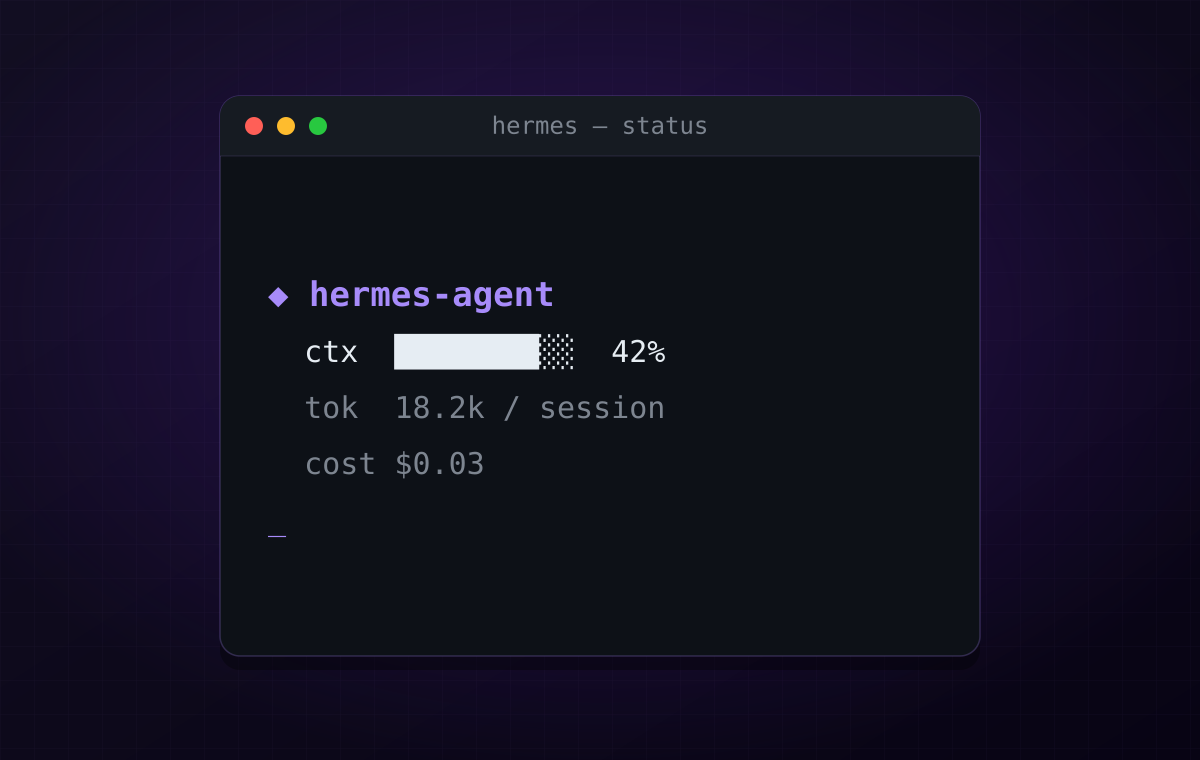
I wrote a previous post about driving mpv from Telegram via the Hermes agent on a $12/month nanogpt subscription. The TL;DR there was: it’s great, runs through nanogpt’s hermes-medium, costs me roughly the price of a sandwich per month.
What that post didn’t say: under heavy use, that monthly subscription drains noticeably faster than you’d expect. Not catastrophically fast, but fast enough to be visible if you’re using Hermes for anything beyond a TV remote — coding sessions, multi-step workflows, long debugging chats. The fix is partly stop running unnecessarily long sessions, and partly learn what the status bar is telling you so you can intervene before it gets bad.
So this post is two things:
- A corrected, source-grounded reading of the Hermes TUI status bar.
- The optimization knobs that actually exist in the Hermes config — not generic LLM advice, the specific settings that ship in
~/.hermes/config.yaml.
What the Status Bar Actually Says
When you’re in the Hermes TUI, you see a one-line footer like this:
⚕ hermes-medium │ 50.4K/256K │ [██░░░░░░░░] 20% │ 🗜️ 1 │ 6h 35m │ ⏲ 2m 4sI asked another LLM what each field meant and got a confident, mostly-right answer with one outright wrong claim. Here is the corrected version, cross-checked against ~/.hermes/hermes-agent/cli.py:3384 (_get_status_bar_snapshot) and cli.py:3760-3789 (the fragment builder):
| Glyph | Meaning | Source field |
|---|---|---|
⚕ hermes-medium | Active model. Updates on fallback — if Hermes switches provider mid-session, this reflects the new model, not the configured one. | agent.model (live), falling back to self.model |
50.4K/256K | Current context tokens / model context window. | context_tokens / context_length |
[██░░░░░░░░] 20% | Visual + numeric of the same ratio. Colour-coded — green / yellow / red as you climb. | context_percent |
🗜️ 1 | Count of context compressions that have happened in this session. Not “compression level” or “passes” — just how many times Hermes has hit the threshold and summarized older messages. Shows only when ≥ 1. | compressions |
▶ N | Active background tasks (only shown when ≥ 1). | active_background_tasks |
6h 35m | Total session duration since you started the TUI. This is the one I want to flag: it is not an ETA, not a remaining budget, not a projected completion time. It’s wall-clock time you’ve been in this session. | session_start to datetime.now() |
⏲ 2m 4s | Elapsed time on the current prompt. Ticks live while the model is working; freezes when the response lands. | prompt_elapsed |
That sixth row is the one a generic explanation will get wrong. It’s tempting to read 6h 35m as “you have 6.5 hours left” — it’s not. It’s “this REPL has been open for 6.5 hours.” If you’ve been chatting heavily for that long, you’ve also been paying for it. The status bar is reporting facts about your session, not making predictions about your future.
Why You Should Actually Care: The Subscription Burn
The first thing to be honest about: nanogpt’s $12/month plan is not actually a monthly quota. It’s a weekly quota that resets every 7 days. The “Subscription Usage” panel in the nanogpt dashboard makes this explicit:
Weekly input tokensUsage: 26,197,480 / 60,000,000 44% usedTime Until Reset: 6d 2h left (13% of period elapsed)That’s 60 million input tokens per week. Sounds enormous. It is, until you look at the burn rate: in the snapshot above, 44% of the weekly allowance was already gone after only 13% of the week had elapsed. That’s roughly 3.4× the rate that would land at 100% on reset day. At that pace, the quota empties on day 2 or 3 of the cycle and you’re paying-but-throttled for the remaining 4–5 days.
The “$12 is unlimited” mental model is wrong. The right mental model is:
- 8.57M tokens per day is the break-even line. Stay under, you’re fine all week.
- 60M tokens, hard ceiling, refilled every 7 days. There is no carry-over.
- When you go over the per-week ceiling, you don’t get billed extra — you just get deprioritized. The model gets slower, then eventually nanogpt politely declines. You wait until the reset window.
nanogpt is generous for casual use. It is not generous for an agent that:
- Keeps a 50K-token conversation in context and re-sends most of it on every step
- Spawns background tasks that themselves talk to the model
- Re-reads the same file three times across a session because it forgot it already had it
- Loads multiple skills’ worth of system-prompt text on every turn
If you only use Hermes as a Telegram remote (/mpv_play lain, /mpv_pause — the zero-token quick commands), you’ll never notice the weekly cap. The quick-command path skips the model entirely, so it contributes zero to the 60M counter.
But the moment you do real agentic work — coding sessions, multi-file refactors, “go figure out why the gateway is restarting” — the cost shape changes fast. A 6-hour session with 🗜️ 4 compressions and 50K/256K resident context means you’re sending tens of thousands of tokens per step, dozens of times. A single afternoon of heavy use can eat 10–15M tokens — a quarter of the week — without anything looking obviously wrong.
You’ll see it as the model getting slower (you’ve crossed into the throttled tier), or eventually a polite error from nanogpt. Long before that, the status bar has been telling you what’s happening — and the nanogpt dashboard is showing you the burn-rate vs. reset clock if you keep an eye on it.
The Compression Settings That Actually Exist
Hermes already compresses context — it’s not something you bolt on. It’s in ~/.hermes/config.yaml:
compression: enabled: true threshold: 0.6 target_ratio: 0.25 protect_last_n: 20 protect_first_n: 3 hygiene_hard_message_limit: 400 abort_on_summary_failure: falseprompt_caching: cache_ttl: 5mEach line is a knob worth understanding:
threshold: 0.6— start compressing when context hits 60% of the window. With a 256K window, that’s around 154K tokens. Lower this (say to0.4) if you want Hermes to summarize earlier and ship fewer tokens per call.target_ratio: 0.25— when compressing, aim to land at 25% of the window after the pass. Tighter compression = smaller subsequent prompts = fewer tokens billed.protect_last_n: 20— never compress the last 20 messages. These are the ones the agent’s reasoning depends on most directly. Reducing this risks the agent losing the thread of what it was just doing; raising it costs tokens.protect_first_n: 3— never compress the first 3 messages, which typically include the system prompt and initial instructions. Don’t change this.hygiene_hard_message_limit: 400— absolute message-count ceiling regardless of token math. Past this, hygiene kicks in.abort_on_summary_failure: false— if compression itself errors, keep going with uncompressed context. Setting this totruewould surface the failure instead of silently bloating.prompt_caching.cache_ttl: 5m— how long providers cache the prefix of a prompt. If you’re sending the same long system prompt repeatedly within 5 minutes, you only pay full price the first time. This is huge — don’t disable it. Some providers (including nanogpt) support prefix caching; making sure your sessions are dense enough to hit the same cache key matters.
The single change with the biggest practical impact for me was dropping threshold from 0.6 to 0.45. Hermes starts summarizing earlier, the resident context stays smaller, and the per-call token bill drops accordingly. The trade-off is more frequent 🗜️ events — which themselves cost a compression call — but the net is positive when sessions are long.
Practical Habits That Move the Needle
The config knobs only do so much. The bigger wins come from how you use Hermes day-to-day:
1. End sessions when you finish a chunk
A 6h 35m session that’s been idle for 5h 50m of it isn’t free — the context is still loaded, and any new turn re-ships it. /new to start fresh is usually the right move once you’ve finished a meaningful unit of work. The status bar’s duration field is a useful nudge: if it’s measured in hours and you’ve been afk, you’re paying for nothing.
2. Push stable knowledge into the vault, not the chat
I keep a vault at ~/Documents/vault/hermes/ for things Hermes should know across sessions — working configs, file locations, “this is what we figured out about the i3 socket.” When something stabilizes, write it there and stop re-explaining it in chat. In future sessions, Hermes can Read the vault file once instead of re-deriving the same knowledge through ten turns of conversation.
A useful pattern in vault notes:
# tg-signals-bot
**Channel:** `-100XXXXXXXXX`**Cron job ID:** `c16e107d5535`**Scripts:** `~/.hermes/scripts/polymarket_signal/`
Half a page of structured facts replaces tens of thousands of “what was that cron job ID again?” tokens.
3. Don’t paste raw tool output back at the model
This is the most common waste I see. The agent runs ls, prints 200 lines, then in the next turn dumps “Based on the file listing above…” That ls output is in context now and stays there until compression. Better: ask Hermes to summarize the listing as it goes ("how many .m3u files? any over 1GB?") instead of letting raw output linger.
4. Use quick commands wherever possible
Anything that doesn’t need natural language should be a quick command. They cost zero tokens. The mpv setup I wrote about uses 13 quick commands for things that would otherwise route through the model. If you’re calling Hermes for the same operation more than 3 times, write a shell script and wire it as a quick_commands: entry.
5. Watch 🗜️ N and adjust when it climbs
A single compression in a long session is fine. When you see 🗜️ 3 and 🗜️ 4, the session is large enough that you’re paying for a lot of redundant context being re-summarized repeatedly. That’s a good moment to /new and start fresh with a clean slate.
6. Pick a smaller model when the job is small
hermes-medium on nanogpt is the right balance for most things. For genuinely trivial work — “rename this variable across these three files” — a smaller, faster preset costs less per call and finishes sooner. model-presets.json makes switching one command: /model nano-medium to go up, /model zen-flash to go down. Status bar updates immediately so you can confirm.
7. Be deliberate about background tasks
The ▶ N indicator shows active background tasks. Each one can independently consume tokens. A background task that runs every 5 minutes on a 6-hour session is 72 unsupervised model calls. Make sure background tasks are doing work that needs the model — many cron-style routines can be plain shell scripts with no_agent: true, which costs zero.
What I Actually Tweaked
Concretely, in my ~/.hermes/config.yaml:
compression.threshold: lowered to0.45(from0.6)compression.target_ratio: lowered to0.20(from0.25)compression.protect_last_n: kept at20prompt_caching.cache_ttl: kept at5m— works as-is on nanogpt
Plus the behavioural habits above. I haven’t done a rigorous before/after benchmark, but my anecdotal observation is that subscription-tier slowdowns hit much later in the month than they used to.
Closing Thoughts
The Hermes status bar is doing more work than it looks like. The single-line footer is reporting six independent metrics, and reading them correctly is the difference between “huh, my agent is slow” and “I’m at 120K/256K with 🗜️ 4 and I’ve been idle 90 minutes — time to start fresh.”
The two most important corrected facts, in case you skip everything else:
6h 35mis how long you’ve been sitting in this session, not how long you have left. If that number looks high, your weekly token use probably also does.- The nanogpt $12 plan is a 60M-token-per-week cap, not a monthly limit. A heavy afternoon can eat a quarter of it. Reset comes every 7 days, no carry-over.
If you want the bigger picture of where this sits — the mpv Telegram controller post shows the whole setup the status bar is reporting on. The combination of those two articles is roughly the whole stack: how to drive a homeserver TV from your phone, and how to do it without setting fire to your weekly nanogpt allowance before the reset clock catches up.